Share cards
Share a trader's record, a copy's result or one of your closed trades as an image, with your invite link.
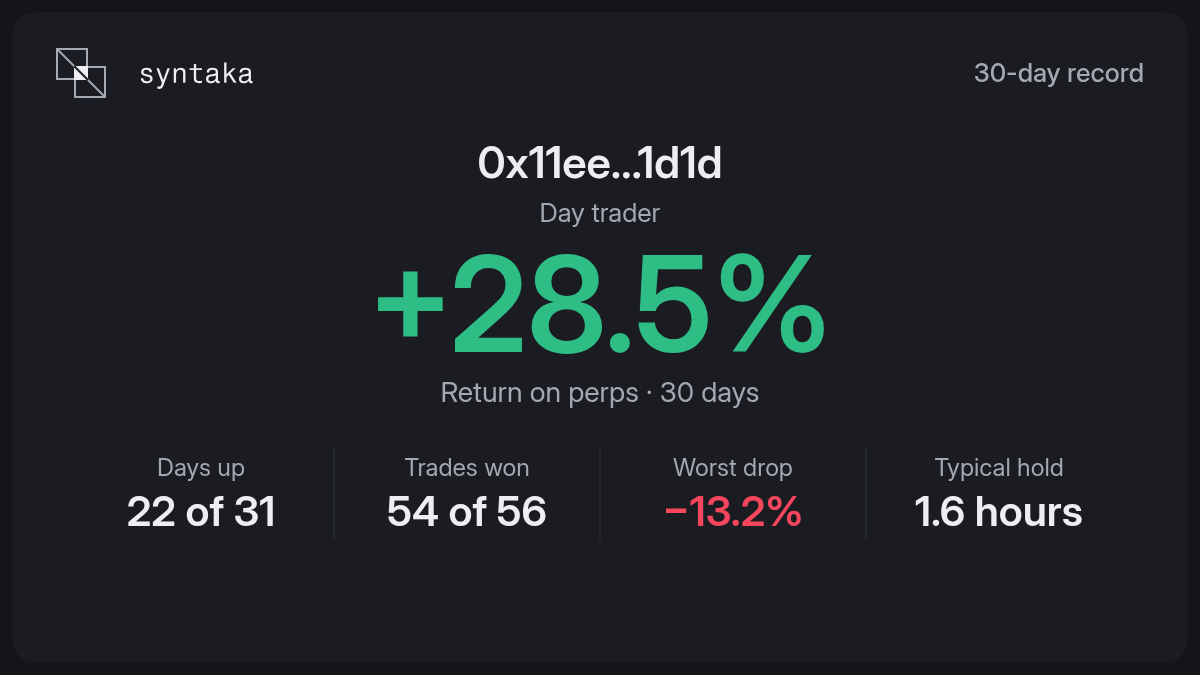
A share card is an image of a result, made to post on X. It carries your invite link, so friends who join from it pay half syntaka's fee (see Fees).
What you can share
| Card | Where you find Share | What it shows |
|---|---|---|
| 30-day record | On a trader's page, at the top. | The trader's return on perps over 30 days, its days up, its trades won, its worst drop and how long it usually holds a trade. |
| Copy | In Portfolio: on a trader you copy, when you open its row, and on each live copy. | The copy's return and how long it has run. |
| Closed trade | In Portfolio's live part, on a closed trade. | The coin, long or short, the result in percent and how long it was held. |
The card of a countertrade says Countertrade instead of Copy, and its post says "Countering" instead of "Copying".
A trader's address is always shown short. A card never shows anything its page doesn't.
Your amounts stay hidden
A card shows percents, not your dollars. A copy or a closed trade card has a Show amounts switch: turn it on to add what you made or lost in dollars. It is off each time you open a card.
A trader's 30-day record has no switch: its figures are public on Hyperliquid.
Post it
The dialog shows the image as it will look. Then:
- Save image downloads it.
- Copy image copies it, so you can paste it into a post. Some browsers can't copy images; save it instead.
- Post on X opens X with a short line and your invite link written for you. X doesn't take the image from syntaka: attach the image you saved or copied.
- Share, on a phone, opens the phone's own share sheet with the image and the text.
Without an account
You can share a trader's 30-day record without signing in. The card and the post then have no invite link.